

Introduction
Cross domain tracking has become an essential part of modern digital analytics, especially for businesses operating across multiple websites or platforms. Without proper tracking, user journeys become fragmented, making it difficult to understand how customers move between domains before converting. This is where a proper cross domain tracking setup guide becomes extremely important for beginners and intermediate marketers.
In simple terms, cross domain tracking allows you to follow a user’s journey across different websites as a single session instead of treating them as separate visits. For example, if a user starts on your main website, moves to a payment gateway, and returns to a thank-you page on another domain, cross domain tracking ensures all actions are connected.
This guide will help you understand everything from the basics to advanced implementation. You will learn how to configure tracking tools, avoid common mistakes, and optimize your analytics setup for accurate reporting. Whether you manage an ecommerce store, SaaS platform, or affiliate business, this cross domain tracking setup guide will help you build a strong data foundation for better decision-making and performance optimization.
What is Cross Domain Tracking?
Cross domain tracking is a method used in web analytics to track user activity across multiple domains as a single session. Normally, when a user moves from one domain to another, tracking systems treat them as a new visitor. This leads to incomplete or inaccurate data.
However, with a proper cross domain tracking setup guide, you can connect user sessions across domains. This is achieved by passing tracking identifiers between websites using URL parameters or cookies.
For example:
- A user visits example.com
- Then moves to checkout.example-payment.com
- Finally returns to thankyou.example.com
Without cross domain tracking, these would appear as three separate users. With it enabled, they are recognized as one continuous journey.
This is especially important for businesses using:
- Separate checkout systems
- Multiple brand websites
- Third-party booking platforms
- Payment gateways
Understanding this concept is the foundation of any cross domain tracking setup guide.
Why is Cross Domain Tracking Important?
A well-implemented cross domain tracking setup guide is critical because it directly impacts the accuracy of your marketing data and business decisions.
Here are the key reasons why it matters:
First, it improves data accuracy. You get a complete picture of user journeys instead of fragmented sessions.
Second, it helps in better attribution. You can clearly identify which marketing channels are driving conversions across different domains.
Third, it enhances customer journey analysis. You can see exactly how users move through your ecosystem.
Fourth, it improves ROI tracking. Marketing campaigns can be evaluated more effectively when cross-domain interactions are properly tracked.
Lastly, it supports better decision-making. Businesses can optimize funnels, reduce drop-offs, and improve conversions based on real insights.
Without a proper cross domain tracking setup guide, your analytics data may lead to wrong conclusions and poor marketing strategies.
Detailed Step-by-Step Guide to Cross Domain Tracking Setup
Step 1: Identify Your Domains
Before starting, list all domains that need tracking. These may include:
- Main website domain
- Subdomains
- Checkout or payment domains
- Landing page domains
This step is crucial in any cross domain tracking setup guide because missing even one domain can break tracking continuity.
Step 2: Use Google Analytics 4 (GA4)
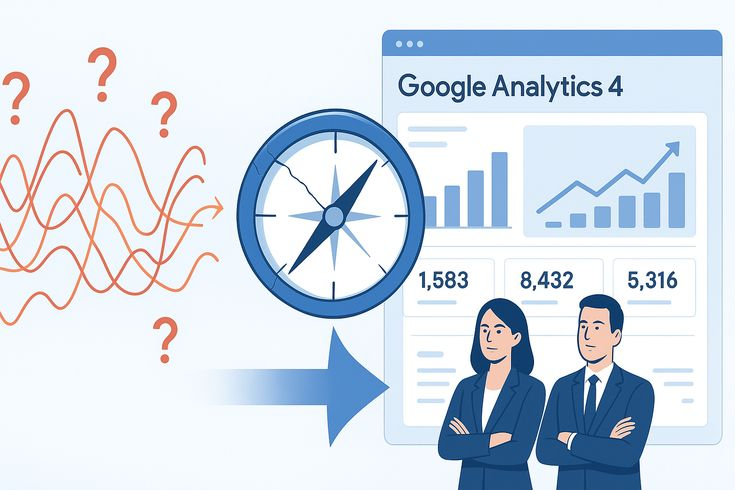
GA4 is the most commonly used tool for cross domain tracking. It provides built-in features to support multiple domains.
To begin:
- Create a GA4 property
- Install tracking code on all domains
- Ensure consistent measurement ID usage
GA4 simplifies implementation compared to older analytics systems.
Step 3: Configure Cross Domain Measurement
Inside GA4, you need to configure cross domain tracking manually.
Steps include:
- Go to Admin settings
- Select Data Streams
- Choose your website stream
- Add all relevant domains under cross-domain tracking settings
This ensures user identifiers are passed between domains automatically.
Step 4: Set Up Google Tag Manager
Google Tag Manager simplifies the process of implementing tracking codes.
In this step:
- Install GTM on all domains
- Create GA4 configuration tags
- Enable linker settings for cross domain tracking
Proper GTM configuration is an essential part of any cross domain tracking setup guide.
Step 5: Enable Link Decoration
Link decoration ensures that user IDs are passed between domains via URL parameters.
This helps maintain session continuity when users click between websites.
Example:
- example.com → checkout.example.com?client_id=12345
This step is critical for accurate tracking.
Step 6: Test Your Setup
Testing ensures everything works correctly.
Use:
- GA4 DebugView
- Real-time reports
- Tag Assistant tools
Check whether sessions remain continuous across domains.
Benefits of Cross Domain Tracking Setup Guide
- Accurate user journey tracking
- Improved conversion attribution
- Better marketing ROI measurement
- Enhanced customer behavior insights
- Seamless multi-domain analytics
- Stronger funnel optimization
- Reduced data fragmentation
- Better decision-making capabilities
Disadvantages / Risks
- Complex initial setup
- Requires technical knowledge
- Misconfiguration can break tracking
- Cookie restrictions may affect accuracy
- Dependency on third-party tools
- Debugging issues can be time-consuming
Common Mistakes to Avoid
Many users fail to properly implement a cross domain tracking setup guide due to simple mistakes.
Avoid the following:
- Forgetting to add all domains
- Using inconsistent tracking IDs
- Not enabling linker parameters
- Ignoring subdomain tracking
- Failing to test before launch
- Mixing multiple analytics properties
- Not updating tracking after website changes
These mistakes can severely impact data accuracy.
FAQs
1. What is cross domain tracking used for?
It is used to track users across multiple websites as a single session for accurate analytics.
2. Do I need coding knowledge for cross domain tracking?
Basic understanding helps, but tools like Google Tag Manager simplify the process.
3. Which tool is best for cross domain tracking?
Google Analytics 4 combined with Google Tag Manager is the most effective solution.
4. Can cross domain tracking improve conversions?
Yes, it provides better insights into user journeys, helping optimize conversion funnels.
5. What happens if cross domain tracking is not set up correctly?
You may get fragmented data, inaccurate attribution, and misleading analytics reports.
6. Is cross domain tracking necessary for ecommerce?
Yes, especially if checkout or payment happens on a different domain.
Expert Tips & Bonus Points
Experts recommend going beyond basic setup when using a cross domain tracking setup guide.
Here are advanced tips:
- Always use consistent naming conventions
- Regularly audit tracking implementation
- Combine GA4 with conversion tracking tools
- Monitor referral exclusion settings
- Use funnel visualization reports
- Track micro conversions for deeper insights
- Maintain documentation of all tracking changes
These strategies help maintain long-term tracking accuracy and performance optimization.
Conclusion
Cross domain tracking is a powerful analytics technique that ensures you never lose visibility of user journeys across multiple websites. Without it, businesses often make decisions based on incomplete or misleading data, which can negatively impact performance.
By following a proper cross domain tracking setup guide, you can unify your data, improve attribution accuracy, and gain a complete understanding of how users interact with your digital ecosystem. From configuring GA4 to enabling link decoration and testing your setup, each step plays a critical role in building a reliable tracking system.
Whether you are managing an ecommerce store, SaaS platform, or multi-brand website, implementing cross domain tracking ensures your analytics reflect reality. This allows you to optimize marketing campaigns, improve conversion rates, and make smarter business decisions.
In today’s data-driven world, accurate tracking is not optional. It is a necessity. By applying the methods in this cross domain tracking setup guide, you can build a strong foundation for scalable and reliable digital growth.
