


Introduction
Advanced Tracking Setup Guide in 2026, accurate data tracking has become the backbone of every successful digital strategy. Businesses can no longer rely on assumptions or surface-level metrics; they need precise, real-time insights into how users interact across websites, apps, and multiple devices. This is where an Advanced tracking setup guide for professionals becomes essential, helping teams build reliable systems that capture meaningful behavioral data instead of incomplete reports. With increasing privacy regulations and the decline of third-party cookies, structured and advanced tracking has shifted from being optional to absolutely necessary for sustainable growth.
Basic analytics tools are no longer enough to understand complex user journeys or multi-channel conversions. Modern businesses require deeper insights such as event-level tracking, funnel behavior, and cross-platform attribution to make informed decisions. Advanced tracking plays a critical role in business growth by enabling better optimization of marketing campaigns, improving ROI, and identifying high-value customer actions. Without it, companies risk making decisions based on incomplete or misleading data, which directly impacts performance and scalability.
Advanced Analytics Tracking Techniques Every Professional Should Know
Modern analytics requires more than basic page tracking. One of the most important Advanced analytics tracking techniques is event-based tracking, which records specific user actions like clicks, form submissions, video views, and downloads. Unlike session-based tracking that only groups user activity within a time period, event-based tracking provides deeper insight into how users interact with content and where engagement is strongest.
Cross-platform tracking strategies are also essential for understanding the full customer journey across websites, apps, and devices. Combined with multi-device user tracking, businesses can identify users even when they switch between mobile and desktop, creating a unified view of behavior. Another key concept is data layering using the dataLayer, which helps structure and pass clean, consistent data to tools like Google Tag Manager. Together, these techniques improve tracking accuracy, enable better attribution, and support smarter marketing decisions based on real user behavior.
Advanced Google Tag Manager Setup for Professionals
An Advanced Google Tag Manager setup requires a structured and strategic approach to ensure accurate and scalable tracking. Professionals begin by organizing tags, triggers, and variables in a clean hierarchy that supports long-term maintenance. Instead of random implementation, every tag is mapped to a business goal such as conversions, engagement, or lead tracking. This ensures data collected is meaningful and actionable.
Efficient use of triggers and variables allows precise control over when and how data is captured. Experts also rely on built-in and custom variables to pass dynamic information into analytics tools. Debugging and preview mode are essential steps to validate every configuration before publishing. In advanced setups, server-side containers are increasingly used to improve data accuracy and reduce browser limitations. This setup reduces data loss, improves performance, and ensures more reliable tracking across modern marketing platforms and analytics systems.
You may also read this:
👉 The 12 Best Analytics Blogs (Crazy Egg Guide)
👉 Warmforge AI Blog – Email Deliverability & Cold Outreach Insights
👉 How to Tag Blog Posts for SEO – Complete Guide (UsePattern)
👉 Datos Insights Blog – Financial Services & Analytics Research 👉 Blog Analytics Guide: How to Use Data to Improve Your Strategy – HostAdvic
Custom Event Tracking for Websites
Custom event tracking for websites is essential for understanding real user behavior beyond basic pageviews. It allows professionals to track specific actions such as button clicks, scroll depth, video engagement, downloads, and form submissions. These events help identify how users interact with content and which elements drive engagement or conversions.
Unlike default tracking, custom events provide flexibility to measure actions that matter most to a business. For example, in e-commerce, events like add-to-cart, checkout initiation, and purchase completion are critical for performance analysis. Proper implementation ensures each event includes relevant parameters such as category, label, and value for deeper insights. When structured correctly, custom event tracking improves decision-making, enhances user experience optimization, and supports better marketing performance analysis across campaigns and channels.
Professional Conversion Tracking Strategies
Professional conversion tracking strategies focus on accurately measuring user actions that contribute to business goals. These strategies involve tracking both micro and macro conversions to understand the full customer journey. Micro conversions include actions like newsletter signups, product views, or add-to-cart events, while macro conversions represent final outcomes such as purchases or lead submissions.
Multi-step funnel tracking helps visualize how users move through different stages before converting. This enables businesses to identify drop-off points and optimize performance. Attribution models such as first-click, last-click, and data-driven attribution help assign proper credit to marketing channels. This ensures accurate ROI measurement across campaigns. By combining structured funnel tracking with proper attribution, businesses can make data-driven decisions, improve marketing efficiency, and increase overall conversion rates while reducing wasted ad spend.
Server-Side Tracking Implementation Guide
A Server-side tracking implementation guide focuses on shifting data collection from the user’s browser to a secure server environment. This modern approach improves tracking accuracy by reducing data loss caused by ad blockers, browser restrictions, and cookie limitations. It provides businesses with more reliable and controlled data flow.
Implementation usually starts with setting up a server container in Google Tag Manager. Once configured, it is connected with platforms like GA4, Google Ads, and Meta for centralized tracking. Server-side tracking also enhances data privacy compliance, which is increasingly important in modern analytics. Additionally, it improves website performance because fewer scripts run on the client side. Overall, this approach provides cleaner, more accurate data and ensures long-term tracking stability in a privacy-focused digital ecosystem.
Advanced Tracking Architecture for Scalable Systems
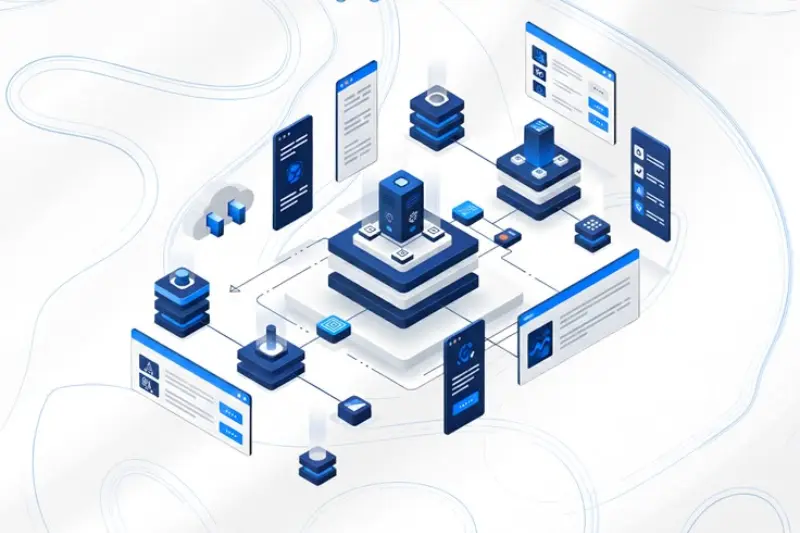
An effective Advanced tracking architecture for scalable systems ensures that data flows smoothly and consistently across all platforms. The structure typically follows a pipeline: website → Google Tag Manager → server container → analytics tools. This layered system ensures better data control, accuracy, and scalability.
A well-designed architecture includes proper tag governance, naming conventions, and documentation. This prevents confusion when managing multiple campaigns or teams. It is also important to avoid duplicate or broken tracking, which can distort analytics results. Regular audits and testing ensure data integrity over time. By integrating all advanced tracking components into a unified system, businesses can build a reliable analytics foundation that supports growth, optimization, and advanced decision-making across marketing channels.
Common Mistakes in Advanced Tracking Setups
Many issues in analytics come from common mistakes in tracking implementation. One of the biggest problems is misconfigured tags that fire incorrectly or multiple times, leading to inaccurate data collection. Missing event parameters also reduce the usefulness of analytics reports by leaving out important context.
Another frequent issue is overtracking or undertracking user actions, which either creates cluttered data or incomplete insights. Without proper balance, decision-making becomes unreliable. Ignoring data validation and testing before deployment often results in long-term tracking errors that are difficult to fix later. Regular audits and debugging are essential to maintain data quality. Avoiding these mistakes ensures cleaner analytics, better reporting accuracy, and more effective marketing optimization strategies.
Tools Used in Professional Tracking Setups
Professional tracking setups rely on several essential tools to ensure accurate data collection and analysis. Google Tag Manager is the core tool used for managing tags, triggers, and variables without directly editing website code. Google Analytics 4 provides deep insights into user behavior, engagement, and conversions.
Server-side tagging tools are increasingly important for improving data accuracy and reducing reliance on browser-based tracking. These tools help maintain consistent data flow even under privacy restrictions. Debugging tools and browser extensions like Tag Assistant help verify tracking implementation and identify errors quickly. Together, these tools form a complete ecosystem that supports advanced analytics tracking, improves reliability, and ensures businesses can make informed decisions based on high-quality data.
Conclusion
Building a future-proof tracking system requires a strong foundation in advanced analytics practices. As digital ecosystems evolve, businesses must shift toward more accurate, flexible, and privacy-compliant tracking methods to stay competitive. Advanced tracking is no longer optional—it is essential for understanding user behavior and optimizing performance.
Continuous optimization plays a key role in maintaining tracking accuracy over time. Systems must be regularly tested, updated, and improved as platforms change. Future trends point toward server-side tracking, AI-driven analytics, and privacy-first measurement models. Businesses that invest in scalable tracking architecture today will be better positioned to adapt, grow, and make smarter data-driven decisions in the future digital landscape.
Frequently Asked Questions (FAQs)
1. What is an advanced tracking setup in analytics?
An advanced tracking setup is a structured system that collects detailed user behavior data using tools like Google Tag Manager, GA4, and server-side tracking. It goes beyond basic pageviews and focuses on events, conversions, and user journeys.
2. Why is advanced tracking important for businesses?
It helps businesses understand real user behavior, improve marketing ROI, optimize conversions, and make data-driven decisions instead of relying on incomplete or inaccurate data.
3. What are advanced analytics tracking techniques?
These include event-based tracking, cross-platform tracking, multi-device user tracking, and dataLayer-based data structuring for accurate reporting and analysis.
4. What is Google Tag Manager used for?
Google Tag Manager is used to manage and deploy tracking tags without editing website code. It helps organize triggers, variables, and tags efficiently.
5. What is custom event tracking?
Custom event tracking measures specific user actions like button clicks, form submissions, video views, and scroll depth to understand engagement behavior.
6. What is server-side tracking?
Server-side tracking moves data collection from the browser to a secure server, improving accuracy, privacy compliance, and reducing data loss from ad blockers.
7. How does server-side tracking improve analytics?
It provides cleaner data, better performance, improved security, and more reliable tracking across platforms like GA4, Google Ads, and Meta.
8. What are conversion tracking strategies?
These are methods used to measure user actions like purchases or signups. They include micro/macro conversions, funnel tracking, and attribution modeling.
9. What are common tracking mistakes?
Common mistakes include misconfigured tags, missing event parameters, overtracking or undertracking events, and not validating data properly.
10. Which tools are essential for advanced tracking?
Key tools include Google Tag Manager, Google Analytics 4, server-side tagging tools, and debugging extensions for testing and validation.
