


Introduction
E-commerce tracking setup refers to the process of collecting and analyzing data from your online store to understand customer behavior. It helps you track important actions like product views, add-to-cart clicks, and completed purchases. This data shows how visitors interact with your store, making it easier to understand what is working and what needs improvement. For beginners, this may sound technical, but modern tools like Google Analytics make it simple to get started without advanced skills. That’s why e-commerce analytics for beginners is an important starting point for anyone running an online store.
Tracking is essential for online store growth because it helps you make data-driven decisions instead of guessing. Without proper tracking, you may spend money on ads that don’t convert or promote products that don’t sell well. With a proper setup, you can identify your best-performing products, understand customer journeys, and improve conversions. In short, e-commerce tracking gives you the clarity needed to grow your business effectively and avoid wasting time and budget on the wrong strategies.
What is E-commerce Tracking and Why It Matters
E-commerce tracking is the process of collecting data about how users interact with your online store. It records key actions such as product clicks, cart additions, checkout steps, and completed purchases. This information is usually gathered through tools like Google Analytics or platform-based dashboards, giving store owners a clear view of customer activity. Simply put, it helps you understand what is happening inside your store in real time.
Understanding customer behavior is one of the biggest advantages of e-commerce tracking. It shows which products attract attention, where users drop off, and what leads them to complete a purchase. This insight is essential for improving marketing decisions because it allows you to focus on strategies that actually work. Instead of guessing, you can optimize ads, product pages, and funnels based on real data. Learning how to track online store sales data ensures better targeting, higher conversions, and smarter business growth.
Key Benefits of E-commerce Tracking Setup
One of the biggest benefits of e-commerce tracking setup is gaining better sales performance insights. It allows you to see which products are generating the most revenue, which traffic sources are converting, and how customers move through your store. With this clarity, you can quickly identify strengths and weaknesses in your online business and make data-driven improvements.
Another major advantage is improved ROI from ads. When you know exactly which campaigns are driving sales, you can stop wasting money on underperforming ads and scale the ones that work. E-commerce tracking also supports deeper customer behavior analysis, helping you understand what users like, where they drop off, and what influences their buying decisions. Additionally, it provides valuable inventory and product insights, so you can stock smarter and avoid overstocking slow-moving items. This is why e-commerce analytics for beginners is essential for anyone who wants to grow an online store efficiently and sustainably.
Tools You Need for E-commerce Tracking
To build a strong e-commerce tracking system, you need the right set of tools that can collect and organize your store data effectively. The most important tool is Google Analytics 4 (GA4), which allows you to track user behavior, sales events, and conversion data in detail. It forms the foundation of any reliable tracking setup and is essential for understanding how your online store performs.
Another key tool is Google Tag Manager, which helps you manage and deploy tracking codes without directly editing your website. For store-specific insights, platforms like Shopify analytics or WooCommerce plugins also provide built-in reporting features that simplify tracking setup. Additionally, tools like Facebook Pixel (optional) can help track ad performance and retargeting campaigns. Together, these tools create a complete system, and following a proper Google Analytics e-commerce tracking guide ensures that all data is collected accurately and used to improve your store’s performance.
E-commerce Conversion Tracking Setup (Step-by-Step)
E-commerce conversion tracking setup refers to the process of measuring important customer actions that directly lead to sales in your online store. These actions include purchases, add-to-cart events, product views, and checkout completions. By tracking these conversions, you can clearly see how well your store is turning visitors into paying customers.
To set up conversion tracking in Google Analytics 4 (GA4), you need to configure events and mark key actions as conversions. Start by enabling enhanced measurement, then set up events for purchases, add-to-cart clicks, and checkout steps. Each of these actions helps you understand where customers are engaging and where they are dropping off. Once configured, GA4 will automatically track these events and display them in your reports. Proper e-commerce conversion tracking setup ensures you can optimize your sales funnel, improve user experience, and increase overall revenue based on real performance data.
Google Analytics E-commerce Tracking Guide
To start with e-commerce tracking in GA4, the first step is enabling enhanced measurement. In Google Analytics 4, this feature automatically tracks basic user interactions such as page views, scrolls, and clicks. For full e-commerce tracking, you also need to enable recommended e-commerce events like add_to_cart, begin_checkout, and purchase so your store data is properly recorded.
Next, you need to set up events in GA4. These events capture key customer actions and help you understand the full shopping journey from product discovery to final purchase. After that, link Google Analytics with your online store platform such as Shopify or WooCommerce by adding the tracking ID or using built-in integrations. This ensures that all customer activity is sent directly to GA4 without missing data.
Finally, always verify data accuracy by testing your store activity in real time reports. This step ensures your tracking is working correctly. Following this Google Analytics e-commerce tracking guide helps you build a reliable system for measuring performance and improving sales decisions.
How to Track Online Store Sales Data
To understand your store’s performance, you first need to focus on key metrics like revenue, total orders, and conversion rate. Revenue shows how much money your store is generating, orders tell you how many purchases were completed, and conversion rate reveals how effectively your website turns visitors into buyers. Together, these metrics give you a clear picture of overall sales performance.
Modern analytics tools like Google Analytics 4 and Shopify dashboards make it easy to view this information in real time through reports and visual dashboards. These dashboards break down your data into simple charts and tables so you can quickly understand trends without technical knowledge. To go deeper, you can use filters and segments to analyze specific traffic sources, devices, or customer groups. This helps you identify which audiences are most profitable and where improvements are needed. Learning how to track online store sales data allows you to make smarter decisions and grow your business more efficiently.
Setting Up Tracking for Shopify
Setting up tracking for Shopify starts with connecting your store to Google Analytics 4 (GA4). First, create or sign in to your GA4 account and generate a tracking ID. Then, go to your Shopify admin panel, navigate to the “Online Store” settings, and paste the GA4 measurement ID into the designated analytics section or use a supported app for integration. This ensures your store begins sending visitor and sales data directly to Google Analytics.
Shopify also provides built-in analytics that give you quick insights into sales, traffic, and customer behavior without extra setup. However, combining Shopify analytics with GA4 gives you a more complete picture of performance. While setting up, avoid common mistakes such as adding duplicate tracking codes, not testing events, or forgetting to enable e-commerce tracking features. Proper Setting up tracking for Shopify ensures accurate data collection, helping you make better marketing and sales decisions based on real customer activity.
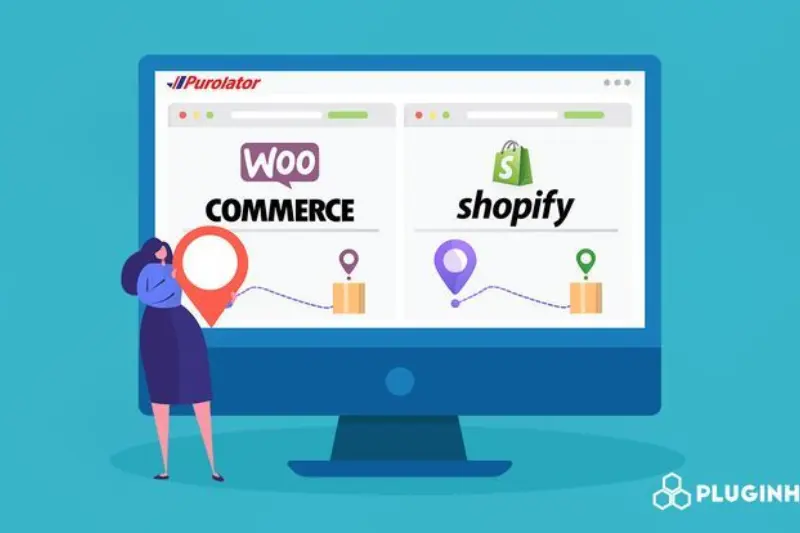
Setting Up Tracking for WooCommerce
Setting up tracking for WooCommerce starts with installing the right tracking plugins that simplify integration with Google Analytics 4 (GA4). Popular plugins allow you to add tracking codes without manual coding, making the process beginner-friendly. Once installed, you can connect your WooCommerce store to GA4 by entering your Measurement ID or linking through the plugin’s setup wizard.
After connecting, the next step is enabling e-commerce tracking so that important customer actions are recorded. This includes tracking product views, add-to-cart events, and checkout behavior. These events help you understand how customers move through your store and where they drop off before making a purchase. Proper tracking ensures you can optimize each stage of the buying journey for better conversions.
By completing this Setting up tracking for WooCommerce process correctly, you gain accurate insights into product performance and customer behavior. This allows you to improve marketing strategies, increase sales, and manage your store more effectively using real data instead of assumptions.
You may also read this:
👉 The 12 Best Analytics Blogs (Crazy Egg Guide)
👉 Warmforge AI Blog – Email Deliverability & Cold Outreach Insights
👉 How to Tag Blog Posts for SEO – Complete Guide (UsePattern)
👉 Datos Insights Blog – Financial Services & Analytics Research
👉 Blog Analytics Guide: How to Use Data to Improve Your Strategy – HostAdvice
Common E-commerce Tracking Mistakes to Avoid
One of the most common mistakes in e-commerce tracking is missing conversion events. If key actions like purchases, add-to-cart clicks, or checkout steps are not properly tracked, you lose important data needed to understand your store’s performance. This can lead to poor decision-making and inaccurate reporting.
Another frequent issue is incorrect GA4 setup, which can result in incomplete or misleading data. Many beginners also accidentally install duplicate tracking codes, causing inflated traffic and wrong analytics results. This makes it difficult to trust your reports and measure real performance. A major mistake that is often overlooked is not testing tracking before launch. Without proper testing, you may not realize that events are broken or missing until it’s too late. Avoiding these errors ensures your e-commerce tracking system works accurately and provides reliable insights for better business growth and decision-making.
Advanced Tips for Better E-commerce Analytics
Once your basic tracking is set up, you can improve results by using advanced e-commerce analytics strategies. One powerful method is creating remarketing audiences in Google Analytics 4 or Google Ads. These audiences allow you to target users who visited your store but did not complete a purchase, helping you recover lost sales through personalized ads.
Another important strategy is tracking customer lifetime value (CLV), which shows how much revenue a customer generates over time. This helps you focus on high-value customers instead of only one-time buyers. You can also use data-driven A/B testing to compare different versions of product pages, ads, or checkout flows to see which performs better. These insights allow you to make informed changes instead of guessing what works. By applying these advanced techniques, you can significantly improve conversion rates and overall performance using real analytics insights from your store data.
Conclusion
E-commerce tracking is not just a technical setup—it is the foundation of building a successful online store. It helps you understand customer behavior, measure sales performance, and make smarter marketing decisions based on real data. Without proper tracking, it becomes difficult to know what is driving your sales and what needs improvement.
For beginners, the best approach is to start simple and gradually scale your tracking system as your store grows. Begin with basic tools like Google Analytics and platform analytics, then move toward advanced tracking features as you become more comfortable. The key is consistency and accuracy in your data collection. A properly done e-commerce tracking setup ensures you always have clear insights to guide your business decisions and achieve long-term growth.
Frequently Asked Questions (FAQs)
1. What is e-commerce tracking setup?
E-commerce tracking setup is the process of collecting data from your online store to understand customer behavior, sales performance, and conversion activity using tools like Google Analytics.
2. Why is e-commerce tracking important?
It helps you understand what customers are doing on your website, which products are performing well, and how to improve marketing and sales strategies using real data.
3. How do I start e-commerce tracking as a beginner?
Start by setting up Google Analytics 4 (GA4), connecting it to your store (Shopify or WooCommerce), and enabling basic e-commerce events like purchases and add-to-cart actions.
4. What is GA4 in e-commerce tracking?
GA4 (Google Analytics 4) is the latest version of Google Analytics that tracks user interactions and provides detailed insights into customer journeys and conversions.
5. Can I track sales without Google Analytics?
Yes, platforms like Shopify and WooCommerce offer built-in analytics, but Google Analytics provides deeper insights and better tracking flexibility.
6. What is e-commerce conversion tracking setup?
It is the process of tracking important actions like purchases, checkout steps, and add-to-cart events to measure how well your store converts visitors into customers.
7. How to track online store sales data accurately?
You can track sales data using GA4 dashboards, Shopify reports, or WooCommerce analytics by monitoring revenue, orders, and conversion rates.
8. Do I need coding for e-commerce tracking?
Not necessarily. Most platforms and tools like Google Tag Manager or Shopify apps allow you to set up tracking without coding skills.
9. What are common mistakes in tracking setup?
Common mistakes include missing conversion events, duplicate tracking codes, incorrect GA4 setup, and not testing tracking before going live.
10. Can e-commerce tracking increase sales?
Yes, because it helps you understand customer behavior, improve marketing campaigns, optimize product pages, and increase conversion rates based on data-driven decisions.
You may also read this:
👉 What Are Blog Tags and How to Use Them – Complete Guide (Bluleadz)
👉 Understanding Blog Categories and Tags – Harisundar Guide
👉 dbt Insights Blog Category – Analytics & Data Insights (dbt Labs)
👉 Top Data Analytics Blogs You Should Follow – CareerFoundry
👉Analytics Mania – Google Tag Manager & Google Analytics Blog
