


Introduction
In today’s competitive online world, Digital Marketing Tracking Setup is essential because running digital marketing campaigns without proper tracking is like driving a car with closed eyes. Businesses invest time and money into ads, content, and social media, but without accurate data, it becomes impossible to understand what is actually working. This is where digital marketing tracking plays a crucial role. It helps you measure user behavior, campaign performance, conversions, and overall return on investment (ROI). With a proper tracking system in place, marketers can make data-driven decisions instead of relying on guesswork, which leads to better results and optimized marketing strategies.
In this guide to The Ultimate Guide to Digital Marketing Tracking Setup, you will learn everything needed to build a strong tracking foundation for your online business. From understanding basic concepts to implementing advanced tracking systems, this guide is designed to simplify the entire process. Whether you are a beginner or already running campaigns, having a proper tracking setup ensures that you know exactly where your traffic is coming from, how users interact with your website, and what actions they take before converting. Ultimately, this helps you improve performance, reduce wasted budget, and grow your digital presence effectively.
What is Digital Marketing Tracking?
Digital marketing tracking refers to the process of collecting and analyzing data about how users interact with your online marketing efforts. In simple terms, it helps you understand what people do after they click on your ads, visit your website, or engage with your social media content. This includes tracking actions like page views, button clicks, form submissions, purchases, and more. With proper tracking in place, businesses can clearly see which marketing channels are performing well and which ones need improvement.
Businesses need digital marketing tracking because it removes guesswork and replaces it with real, actionable data. Instead of assuming what works, companies can make informed decisions based on user behavior and performance metrics. This improves ROI, helps optimize advertising budgets, and increases overall efficiency. A proper digital marketing tracking setup guide is essential for setting up this system correctly, ensuring every important action is recorded and analyzed for better marketing results and long-term growth.
Why Tracking is Important in Digital Marketing
Tracking plays a vital role in helping businesses make better and smarter marketing decisions. When data is properly collected, marketers can clearly see which campaigns are performing well and which ones are wasting budget. Instead of relying on assumptions, teams can use real-time insights to adjust strategies, target the right audience, and focus on high-performing channels. This leads to more accurate planning and stronger overall marketing performance.
Another major benefit of tracking is improved ROI and campaign optimization. With tools like conversion tracking in digital marketing, businesses can measure exactly how many leads or sales are coming from each campaign. This helps reduce unnecessary spending and increases profit. Additionally, tracking provides deep insights into customer behavior, such as how users navigate a website or what content influences their decisions. These insights are essential for refining strategies, improving user experience, and achieving long-term growth through a proper digital marketing tracking setup guide.
Types of Digital Marketing Tracking
Digital marketing tracking includes different methods that help businesses understand user behavior and campaign performance. These tracking types work together to give a complete view of how users interact with websites and marketing channels. They are essential for improving strategy, increasing conversions, and making data-driven decisions.
Website Tracking for Digital Marketing
Website tracking monitors how users behave on a website after arriving from different sources. It shows page visits, session duration, bounce rate, and user flow. Tools like Google Analytics and Google Tag Manager are commonly used to collect this data and improve website performance.
Conversion Tracking in Digital Marketing
Conversion tracking measures key actions such as purchases, sign-ups, or form submissions. It helps businesses understand which campaigns generate real results and improve ROI tracking.
Digital Analytics Tracking Setup
This involves setting up analytics tools properly to collect accurate data. A structured setup ensures reliable reporting, better insights, and supports a strong digital marketing tracking setup guide for long-term success.
How to Set Up Tracking in Digital Marketing (Step-by-Step)
Setting up tracking correctly is the most important part of any digital marketing tracking setup guide, because it ensures accurate data collection from all marketing channels. Without proper setup, businesses cannot measure performance or optimize campaigns effectively.
Step 1 – Set Up Analytics Tools
Start by creating a Google Analytics account and installing it on your website. You should also use Google Tag Manager to manage tracking codes easily without editing website code repeatedly.
Step 2 – Install Tracking Codes on Website
Place tracking scripts in the header section of your website. A common mistake is adding codes in the wrong location, which leads to missing or incorrect data.
Step 3 – Set Up Conversion Tracking
Define important goals like leads, sales, or sign-ups. Then configure event tracking to measure user actions properly.
Step 4–5
Connect Google Ads and social media platforms like Meta, then test everything using debugging tools and real-time reports. This is how to set up tracking in digital marketing correctly for accurate results.
You may also read this
👉 What Are Blog Tags and How to Use Them – Complete Guide (Bluleadz)
👉 Understanding Blog Categories and Tags – Harisundar Guide
👉 dbt Insights Blog Category – Analytics & Data Insights (dbt Labs)
👉 Top Data Analytics Blogs You Should Follow – CareerFoundry
👉Analytics Mania – Google Tag Manager & Google Analytics Blog
Common Mistakes in Digital Marketing Tracking Setup
One of the biggest problems businesses face is missing or incomplete tracking codes. If the analytics or tag manager code is not properly installed on all pages, it leads to lost data and inaccurate reporting. This can severely affect decision-making because marketers are not seeing the full picture of user activity.
Another common issue is incorrect conversion setup, where goals like purchases, leads, or sign-ups are not defined properly. This results in misleading performance data and makes it difficult to measure ROI. Many businesses also fail to test their tracking setup before launching campaigns, which causes errors to go unnoticed. As a result, reports become unreliable.
Data mismatch issues are also very common, especially when different platforms show different numbers. This usually happens due to improper configuration or missing parameters. Avoiding these mistakes is essential for a successful digital marketing tracking setup guide, ensuring accurate insights and better marketing performance.
Best Tools for Digital Marketing Tracking
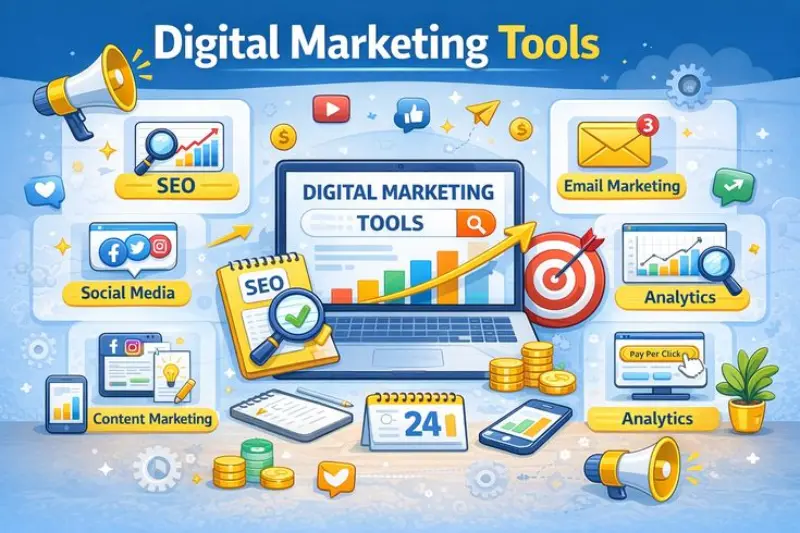
Choosing the right tools is essential for building an effective digital marketing tracking setup guide, as they help collect, organize, and analyze user data across different platforms. With the right tools, businesses can understand customer behavior and improve campaign performance more efficiently.
Google Analytics is one of the most widely used tools for tracking website traffic, user behavior, and conversions. It provides detailed insights into where visitors come from and how they interact with your site. Google Tag Manager simplifies the process of managing tracking codes without directly editing website files, making it easier to deploy and update tags.
Meta Pixel is crucial for tracking user actions from Facebook and Instagram ads, helping businesses measure ad performance and optimize targeting. Lastly, UTM builders are used to create trackable URLs that show exactly which campaigns, ads, or sources are driving traffic. Together, these tools form a powerful system for accurate digital marketing tracking.
Advanced Tracking Strategies
Advanced tracking strategies help businesses move beyond basic analytics and gain deeper insights into how users interact across multiple platforms and devices. These strategies are essential for improving accuracy in reporting and making smarter marketing decisions as campaigns grow more complex.
Cross-device tracking allows marketers to follow a user’s journey across different devices such as mobile, tablet, and desktop. This is important because users often switch devices before completing a purchase or conversion. Without it, the customer journey may appear incomplete or disconnected.
Multi-channel attribution focuses on identifying which marketing channels contribute to conversions. Instead of crediting only the last click, it helps understand how social media, search ads, email marketing, and other channels work together to influence decisions.
Funnel tracking analyzes each step of the customer journey, from awareness to conversion. It helps identify where users drop off and where improvements are needed. These advanced methods strengthen any digital marketing tracking setup guide by providing deeper, more actionable insights.
Conclusion
Proper tracking setup is the foundation of successful digital marketing because it ensures that every click, visit, and conversion is measured accurately. Without reliable tracking, businesses risk wasting budget on ineffective campaigns and missing valuable insights about customer behavior. When tracking is implemented correctly, it becomes much easier to understand performance, optimize strategies, and scale marketing efforts with confidence.
By following this guide, you now have a clear understanding of how tracking works and how to set it up step by step. The key is not just to install tools, but to maintain a structured and consistent system that delivers accurate data over time. Businesses that prioritize tracking always stay ahead because they make decisions based on facts, not assumptions.
With this complete guide to The Ultimate Guide to Digital Marketing Tracking Setup, you can now track and optimize your marketing effectively and build stronger, data-driven campaigns for long-term growth.
Frequently asked questions (FAQs)
1. What is digital marketing tracking setup?
Digital marketing tracking setup is the process of configuring tools and systems like Google Analytics and Tag Manager to monitor user behavior, conversions, and campaign performance across digital channels.
2. Why is tracking important in digital marketing?
Tracking is important because it helps businesses measure performance, understand customer behavior, and make data-driven decisions that improve ROI and campaign effectiveness.
3. What is conversion tracking in digital marketing?
Conversion tracking measures specific user actions such as purchases, sign-ups, or form submissions, helping businesses understand which campaigns generate real results.
4. How to set up tracking in digital marketing?
You can set up tracking by installing analytics tools, adding tracking codes to your website, defining conversion goals, and connecting advertising platforms like Google Ads and Meta.
5. What tools are used for digital marketing tracking?
Common tools include Google Analytics, Google Tag Manager, Meta Pixel, and UTM builders for tracking campaign performance and user activity.
6. What is website tracking for digital marketing?
Website tracking monitors how users interact with your website, including page visits, time spent, and navigation patterns.
7. What is digital analytics tracking setup?
It is the structured configuration of analytics tools to ensure accurate data collection, reporting, and performance measurement.
8. What are common mistakes in tracking setup?
Common mistakes include missing tracking codes, incorrect conversion setup, not testing properly, and data mismatch issues between platforms.
9. What is multi-channel attribution?
Multi-channel attribution is a method of identifying which marketing channels contribute to conversions across the entire customer journey.
10. Can tracking improve ROI in digital marketing?
Yes, tracking helps improve ROI by showing which campaigns are performing best, allowing businesses to optimize budgets and focus on high-performing strategies.
You may also read this
👉 Analytics Marketing Articles – Semrush Blog Category
👉 Analytics Mania – Google Tag Manager & Google Analytics Blog
👉 The 50 Best Marketing Blogs (2026 Edition) – Detailed.com
👉 Best Data Analytics Blogs to Follow in 2026 – BloggingJoy
👉 Analytics Vidhya Blog – Data Science, AI & Analytics Learning Hub
